

WP eStore Auto Product Creator for WordPress
Instantly Create WP eStore Products from Every Image Upload—No Manual Data Entry Ever Again!
$29 One-Time Price — Unlimited Updates
30-day money-back guarantee · 6 months of email support included
Need setup help? Read the documentation →
Quick Benefits
Products created instantly
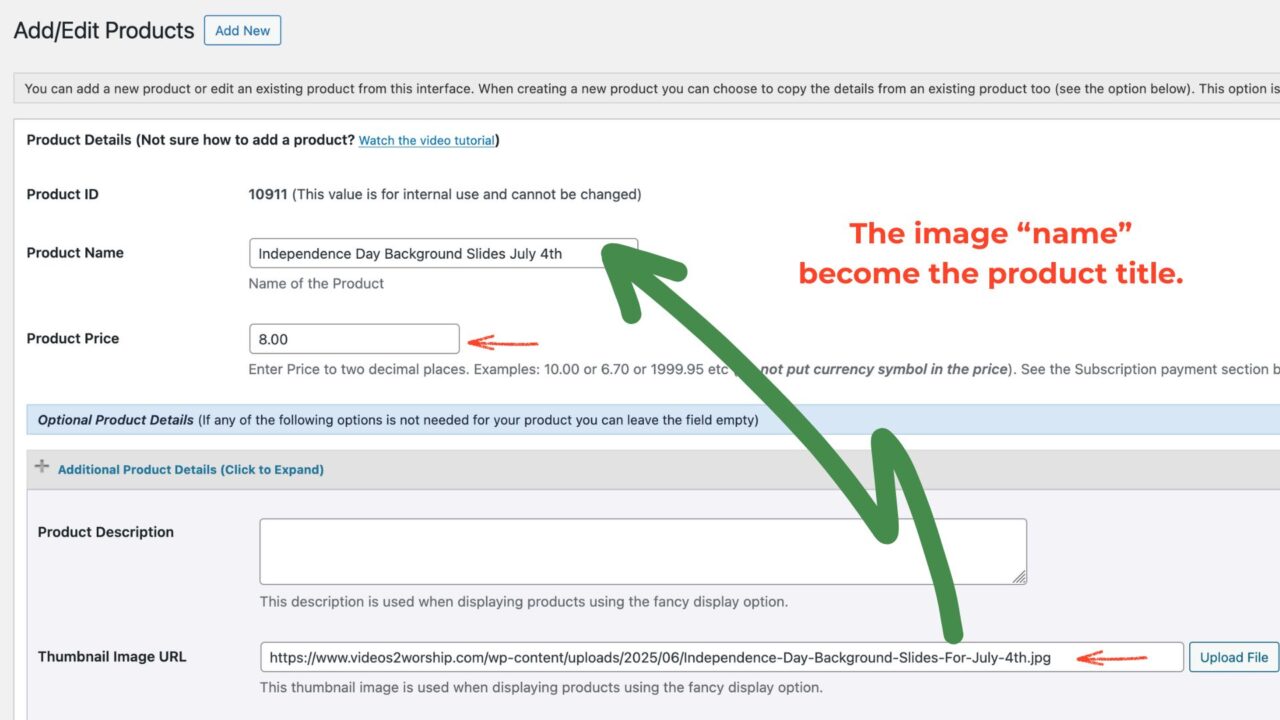
(Example: “Sunset Over the Ocean.jpg” becomes “Sunset Over the Ocean” as your product name.)
Works for batch and seasonal uploads
Drag and drop the image into your WordPress Media Library.
A product is created automatically
The plugin uses your image title, sets the default price/category, and drafts a digital product.
Plugin Preview
See the Auto Product Creator Plugin in action.

Frequently Asked Questions
It automatically creates a new WP eStore product every time you upload an image to your WordPress Media Library. No manual entry—just upload and sell!
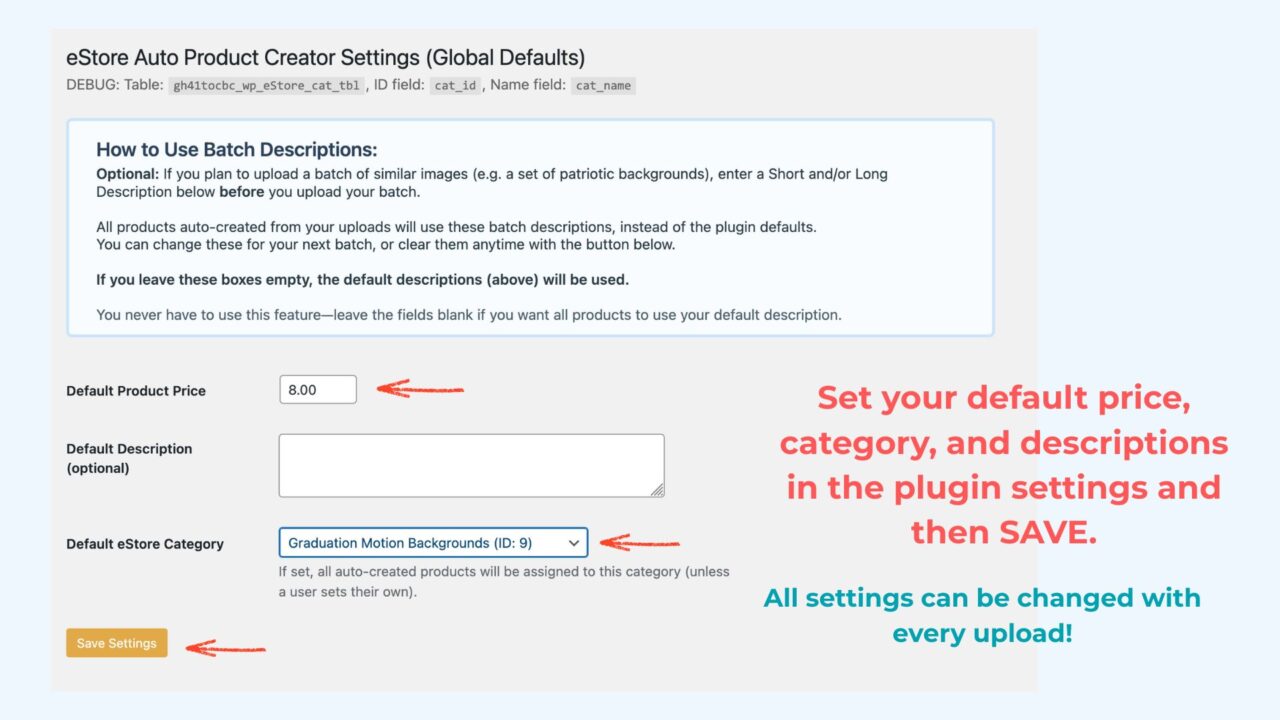
Go to Settings > eStore Auto Product Creator. Set your preferred default price, description, and category for all auto-created products. These apply to every new upload—unless a user sets their own.
Absolutely. Just update the settings (or your user profile), save, and all future uploads will use your new defaults. Change as often as needed for seasonal or batch uploads.
No. Each image upload creates a brand new eStore product. Existing products remain untouched.
The plugin turns your image filename into a clean, human-readable title (e.g., “Easter Sunrise Background” instead of “easter-sunrise-background.jpg”).
No. For security and flexibility, this field is left blank on new products. You can add the download link later when you’re ready.
No. For security and flexibility, this field is left blank on new products. You can add the download link later when you’re ready.
Yes. Upload as many images as you want—each becomes a new product, instantly, with your settings applied.
FOR DOCUMENTATION CLICK HERE. For support or feedback, please contact wayvisuals@gmail.com